My (Google) Maps
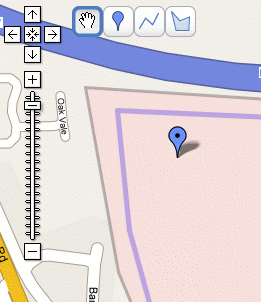
Google have added a new feature to their maps service; the ability to create your own annotated maps that can not only be shared with others but also that will show up in the search index.
The maps can be annotated with markers, lines drawn to mark routes and areas highlighted to… well, whatever you want.
This is a really useful service to have. In the past, I’ve used Pin In The Map to share places with others, but that is quite limited in comparison. I’ve also tried using Microsoft’s Live maps service which lets you share maps, but after my first map came up blank with all I shared it with, I soon gave up.
Google also lets you download your maps in kml format so they can be used within Google Earth.
For my first foray into My (Google) Maps, here is a short walk Jo and I often go on to escape the sofa and get some air in our lungs.

My First Google Map
July 1st, 2007 at 10:32 am
hi, mayb u can help me.
i simply want to mark whole cities and roads to country towns in asutralia. i need to make the mark transperent and 20km wide (10km each side) plus 160km wide ( different shading). these lines will represent delivery runs that we are able to achieve. the 20km being one price, 160km another price for the delivery.
i then will upload this to my website. is the a program in existance that will allow me to draw these lines ??
your help greatly appreciated
phill
July 1st, 2007 at 11:00 am
Hi Phill,
I haven’t come across anything that would do that automatically, but it’s quite easy to produce with Photoshop or similar. The only questionable thing, assuming this is for a business, is the licensing of the map image used.
August 3rd, 2007 at 3:26 pm
Hi Nol,
Thanks for the advice to use photoshop, we’re looking to do a similar thing for our delivery areas but i guess i’d better look into the copyrighting issue first…
Cheers, ToNy!
January 11th, 2008 at 10:50 am
With the licensing, you can use it but need to pay google after you get to a certain level of usage. About 50,000 request per day i think.