Logic Gate Thing
24 Mar 2009Whilst playing around with some ideas for a project I have in mind, I have created something else along the way.
I needed the ability to draw lines between elements on a webpage, with some built-in intelligence on how to route the lines so they look sensible. I couldn’t find anything in jQuery, Dojo or elsewhere that did this type of thing out of the box, although I’ll admit I didn’t look too hard.
Having got something basically working, I decided to throw together a demo to help see if they did what I wanted. As is often the case, my little demo has taken a life of its own and has distracted me from the original project I was doing this for.
And so came to life the Logic Gate Thing.
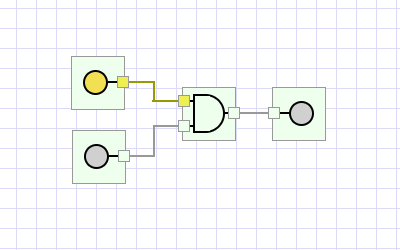
A couple disclaimers to make: it has only been tested with Firefox on Linux and is reliant on Javascript. That said, I’d be happy to hear how other browsers get on with it.
Update: It should now work on WebKit based browsers; Safari, Epiphany, etc and Chrome. As Jamie points out in the comments, it does work in IE8 albeit with some slightly weird lines.